Skip to content
Browser AssistantGitHub

Chrome extension · local-first

Your browser, finally in one place

A Chrome extension for tabs, tasks, notes, workspaces and wishlists — with a Chrome-native look and all data stored on your computer.
View on GitHubComing soon to the Chrome Web Store
New tab — Dashboard
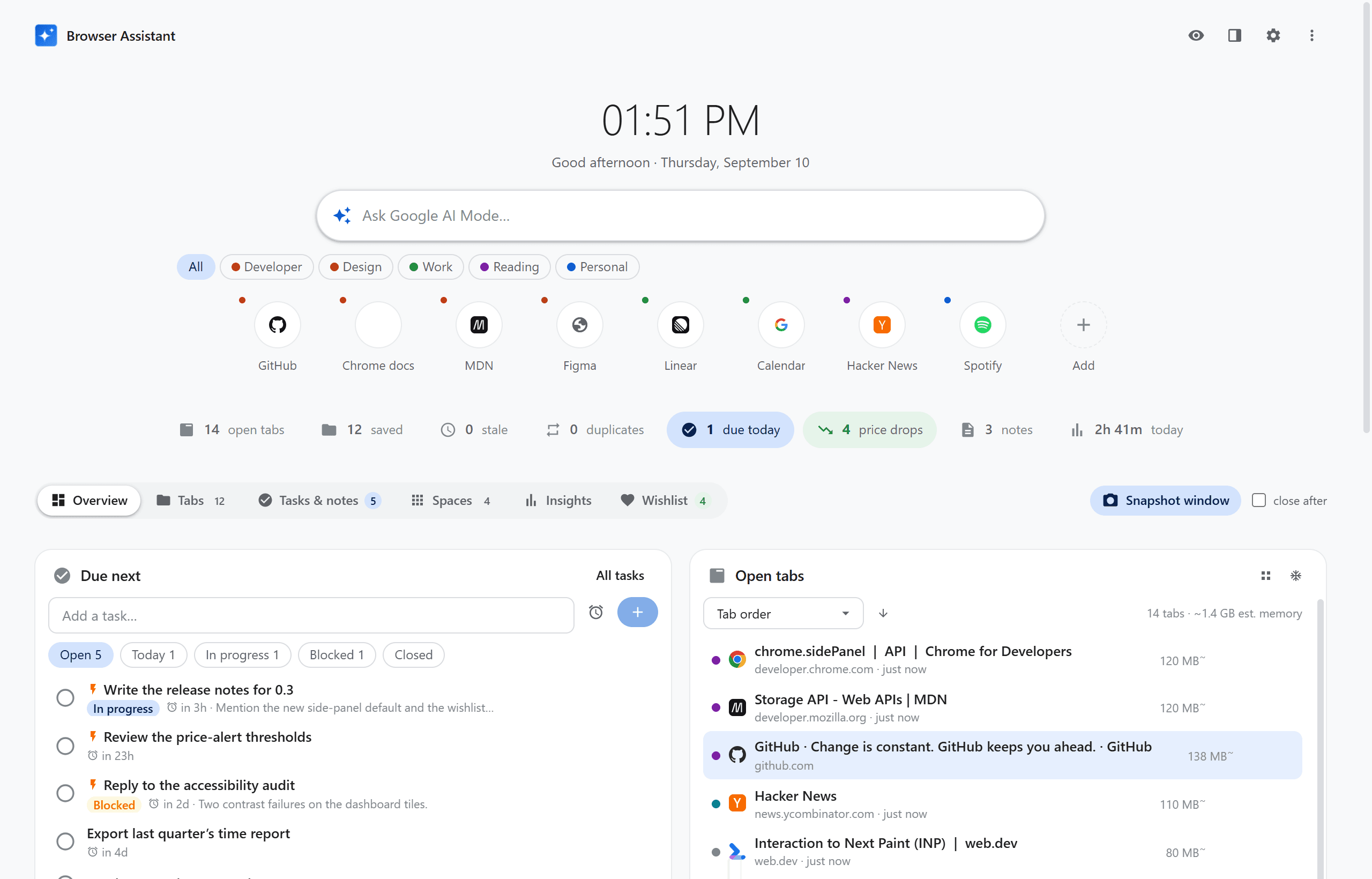
Dashboard: clock, AI search box, quick-link tiles, a status strip, and the Overview digest showing tasks due next beside the open-tab list

01

Local-first

A tiny native host writes JSON on your computer. No cloud account, no sync, no analytics.

02

A side panel that stays

It sits beside the page instead of vanishing when you click away — so you can drag links into folders.

03

A new-tab command center

Clock, AI search, quick links, and a status strip that only tints the numbers worth acting on.

Tabs

Nest, tag, and find every tab you meant to keep

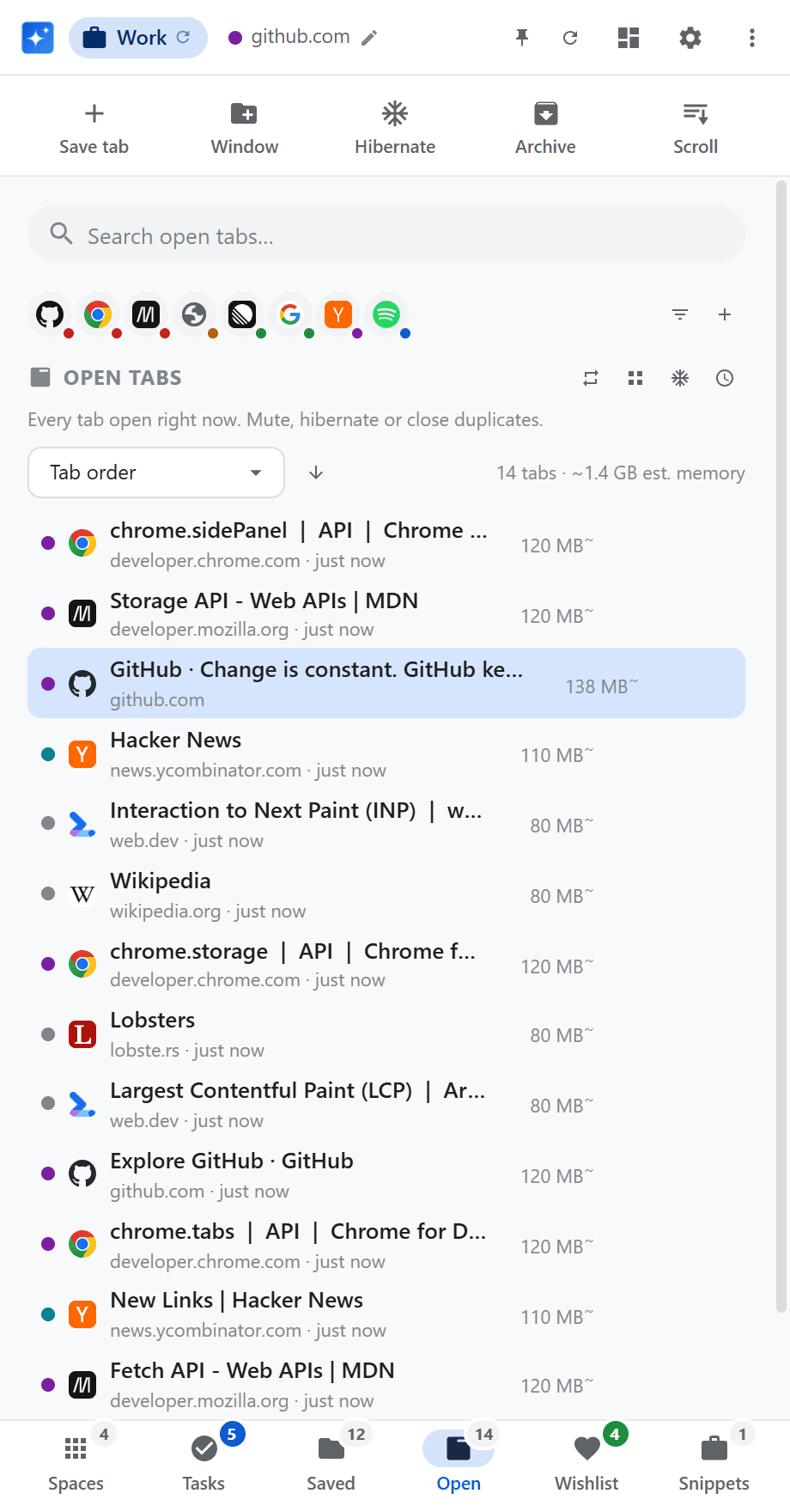
Unlimited nested folders with tags and search. Drop a link from any page onto a folder. The Open list shows idle age and estimated memory — hibernate the rest in one click.
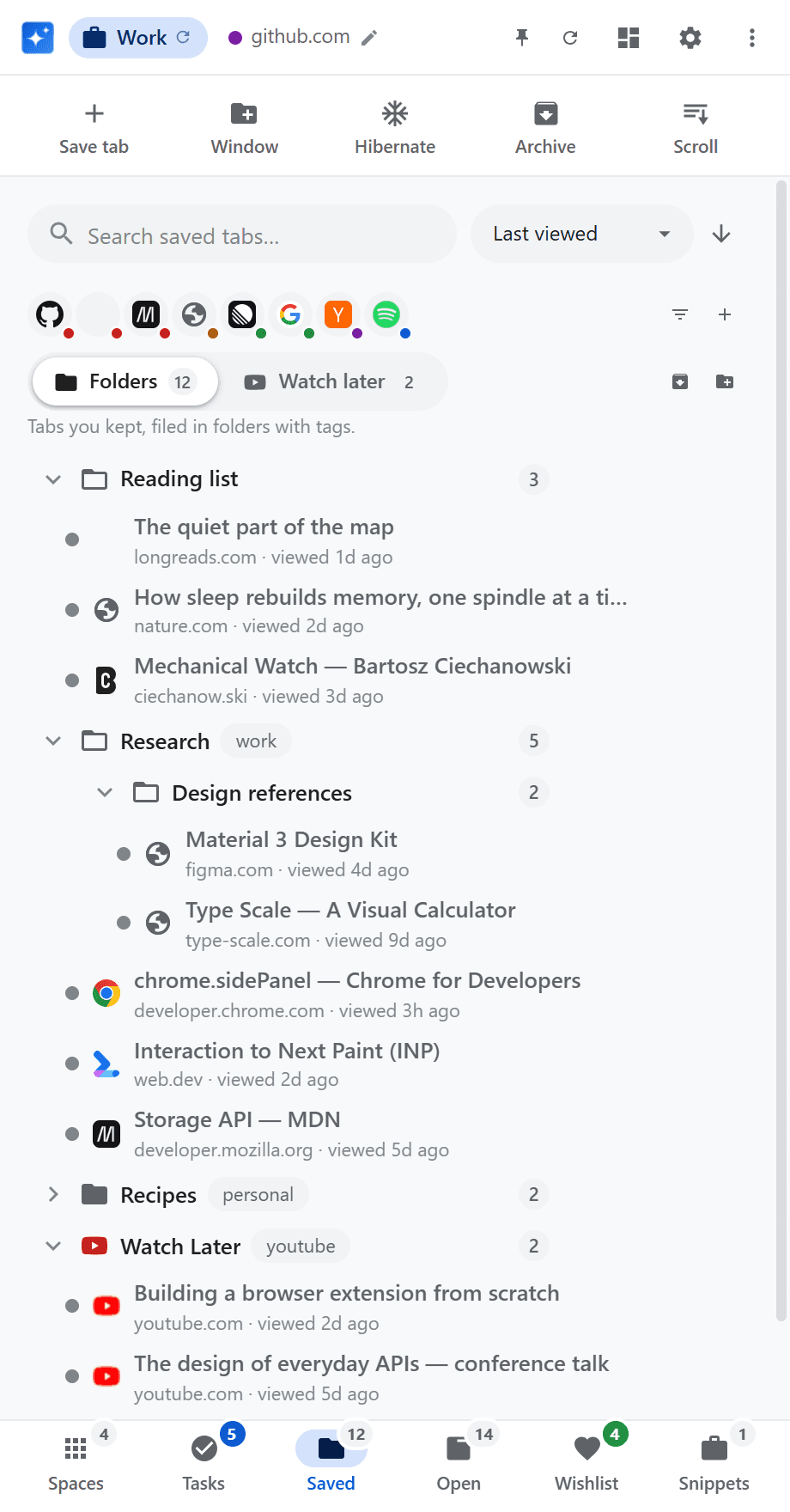
Side panel, Saved section: nested tab folders with tags and per-folder counts
Side panel, Open section: every open tab with its idle age and estimated memory, sortable
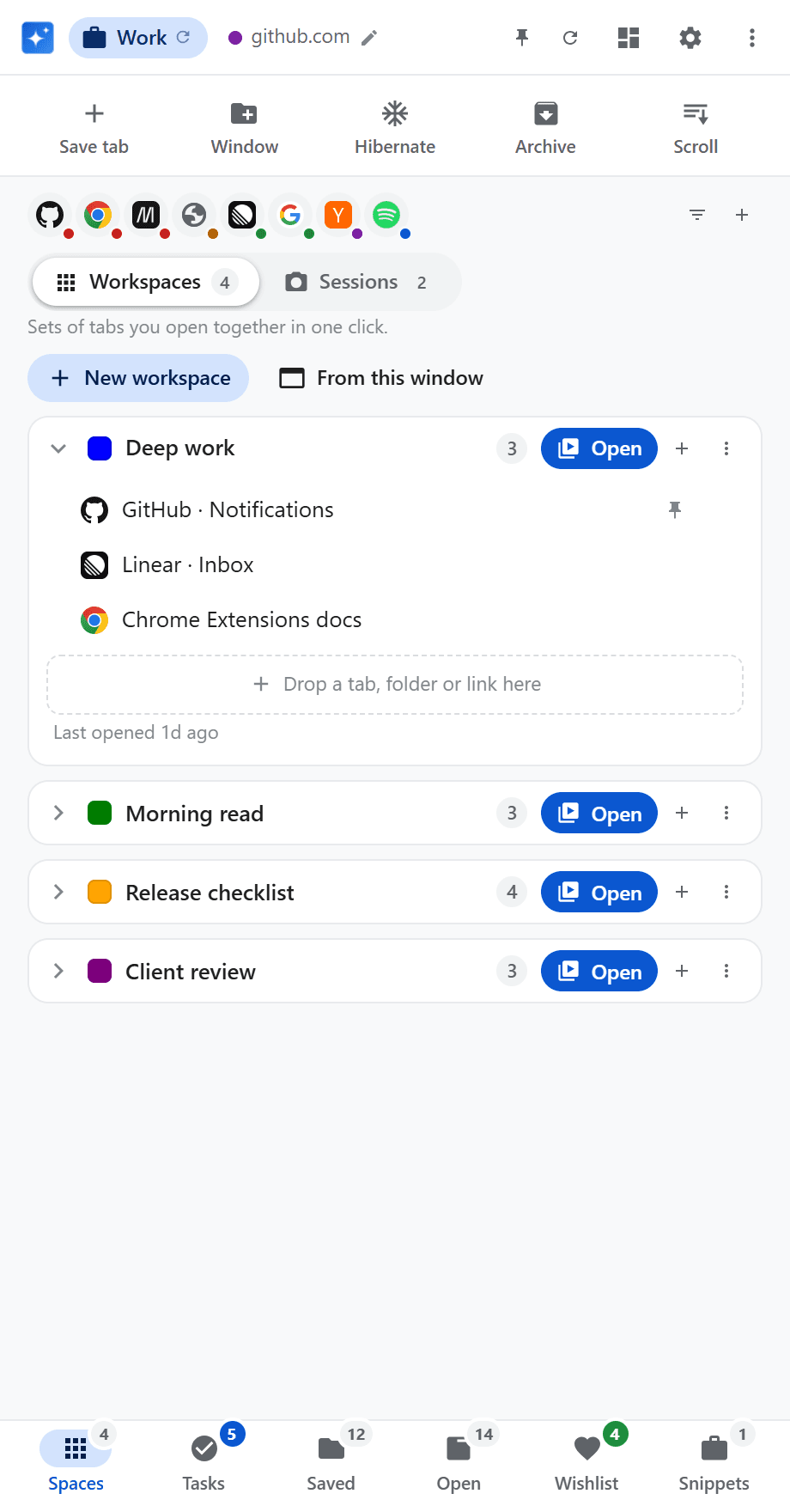
Side panel, Spaces section: workspaces with tab counts, one expanded to show the tabs it opens

Workspaces

Open the whole set in one click

Named sets of tabs for work, a project, a weekend. Build them from saved tabs, the current window, or a dragged link. Mark tabs to open pinned.

Wishlist

Watch a price. Get told when it drops.

Save from Amazon, eBay, AliExpress, bol.com and Coolblue — or select a price on any page. A background checker re-fetches prices and notifies you on a drop or when you hit your target.
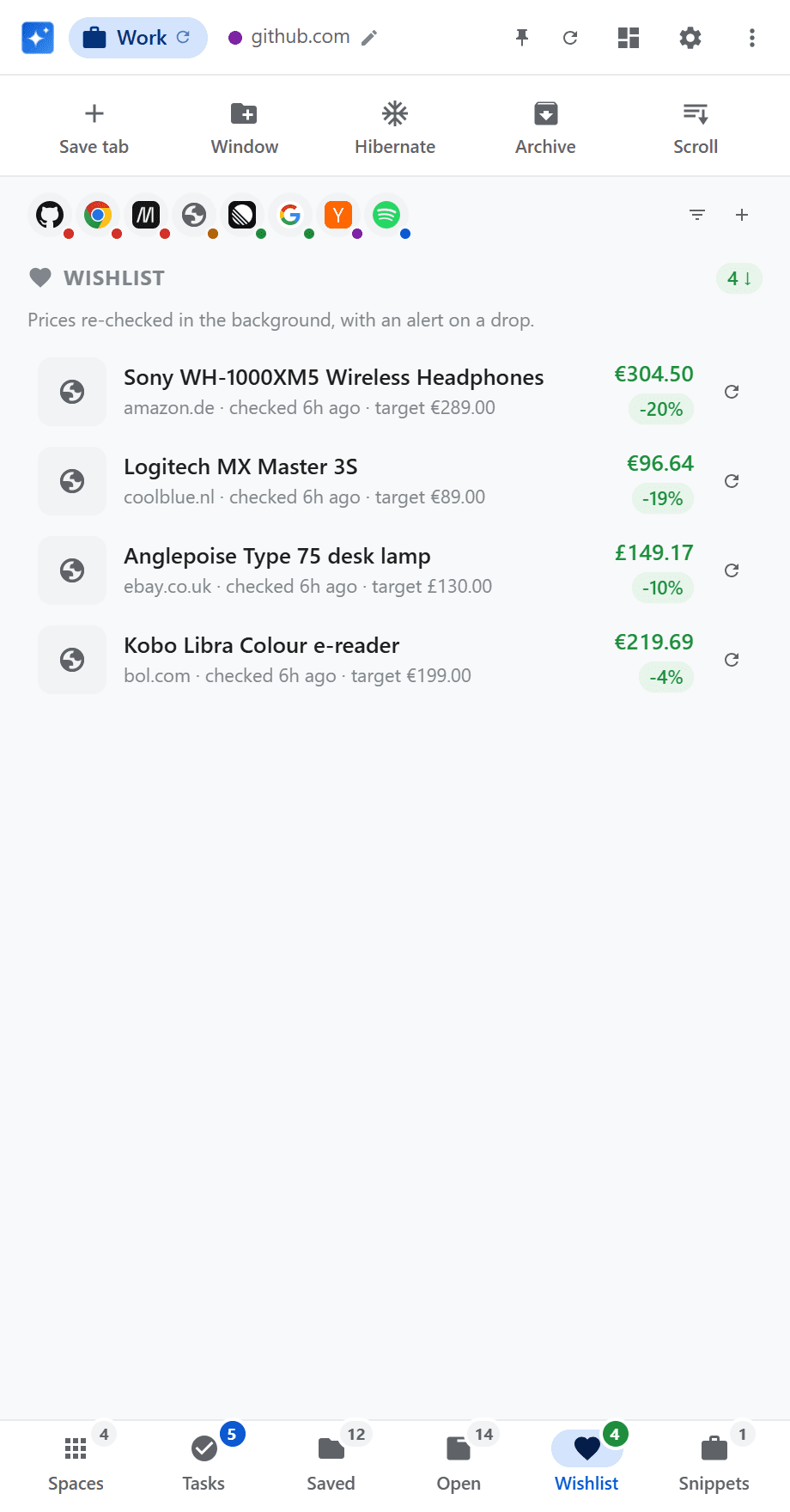
Side panel, Wishlist section: tracked products with current price, drop percentage and target price
New tab — Insights
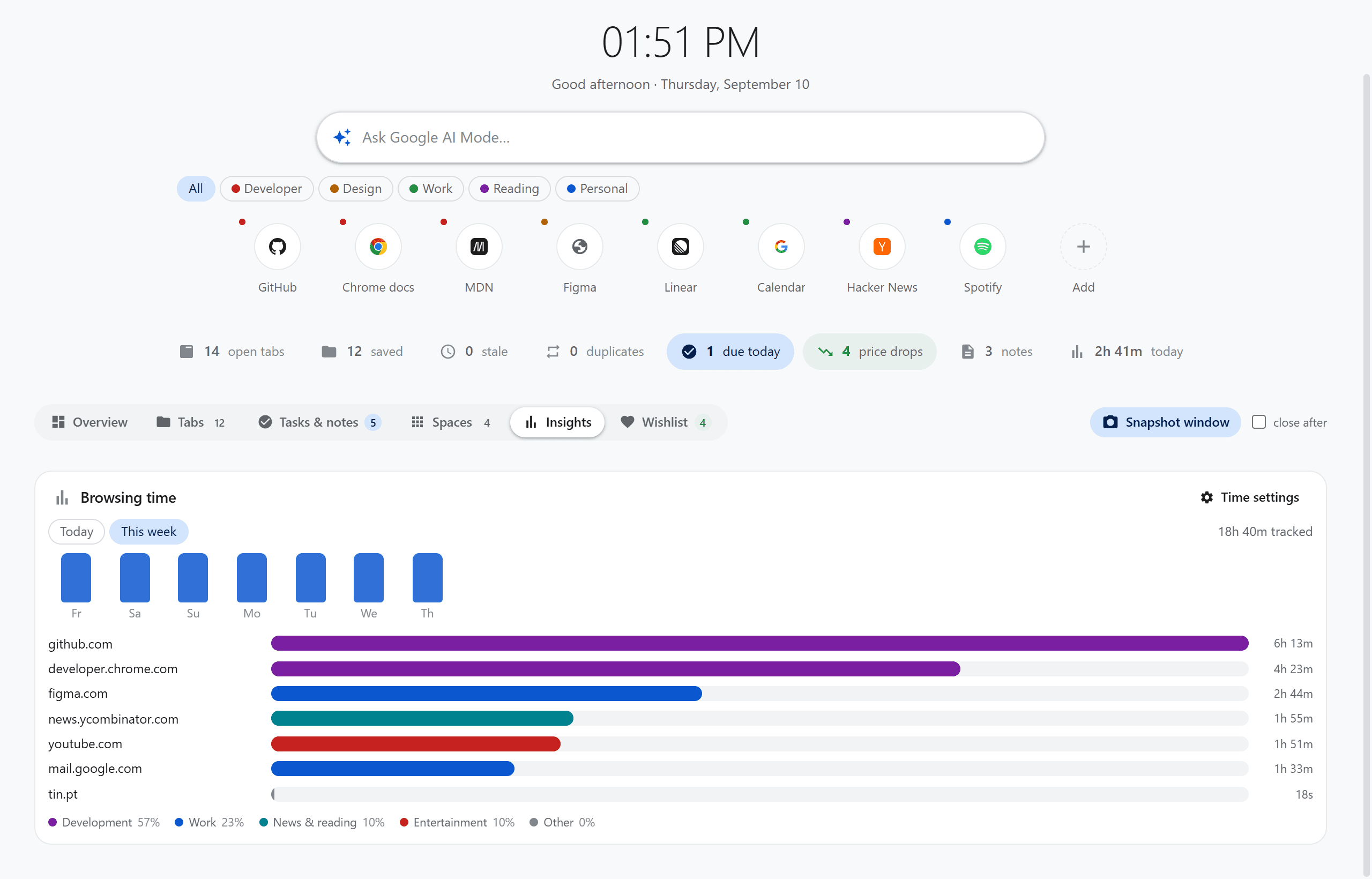
Dashboard Insights view: a weekly bar chart of browsing time with per-site totals coloured by category

Insights

See where the week actually went

Time per site, paused when you are idle or Chrome loses focus. A weekly chart coloured by category — work, shopping, entertainment, and the rest.

Tasks

To-dos that know which page they came from

Real due dates, repeats, statuses, and desktop notifications with Done or Snooze. Completing a repeating task keeps that occurrence and creates the next one.
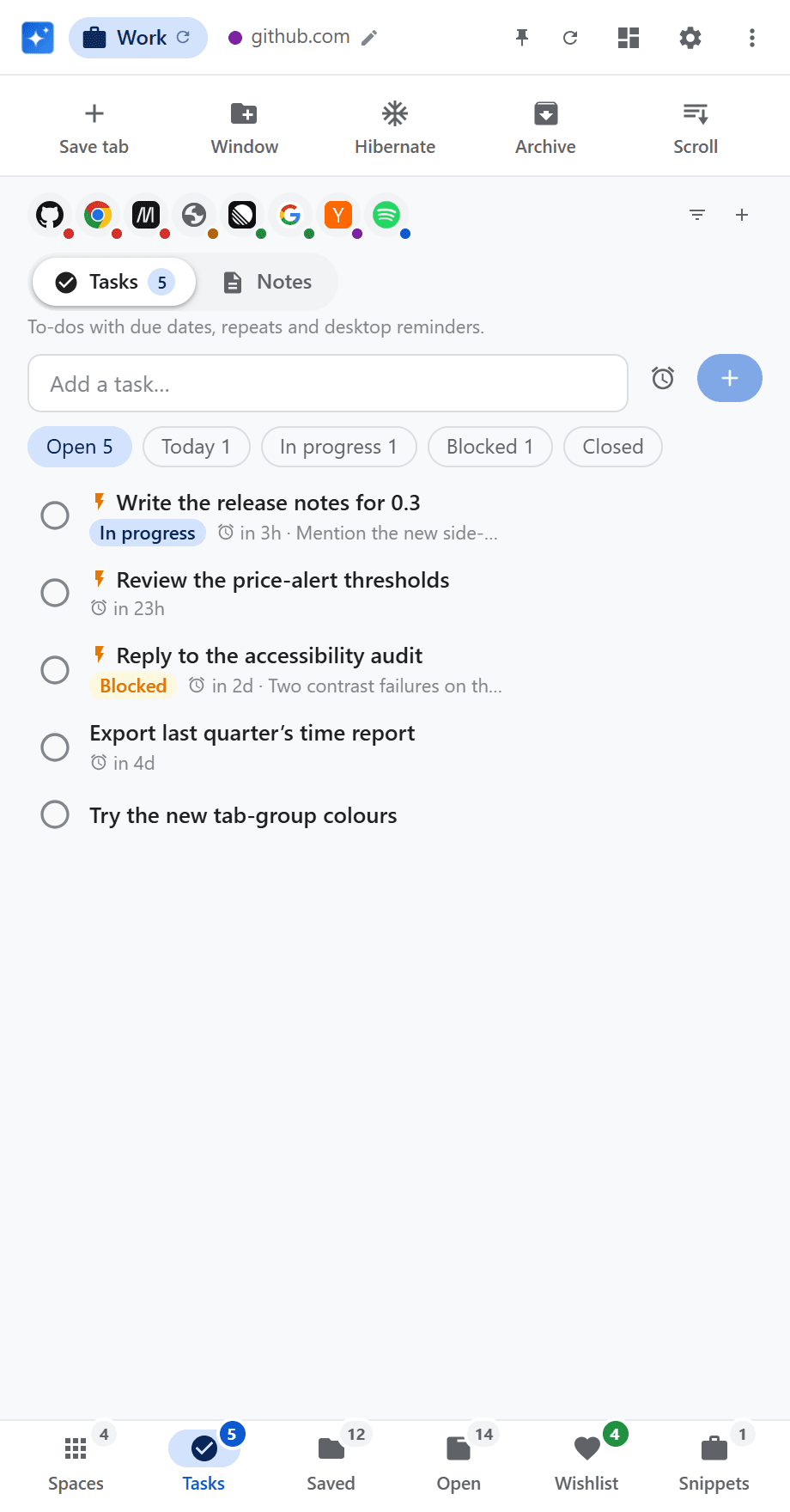
Side panel, Tasks section: to-dos with status filters
New tab — Tabs view
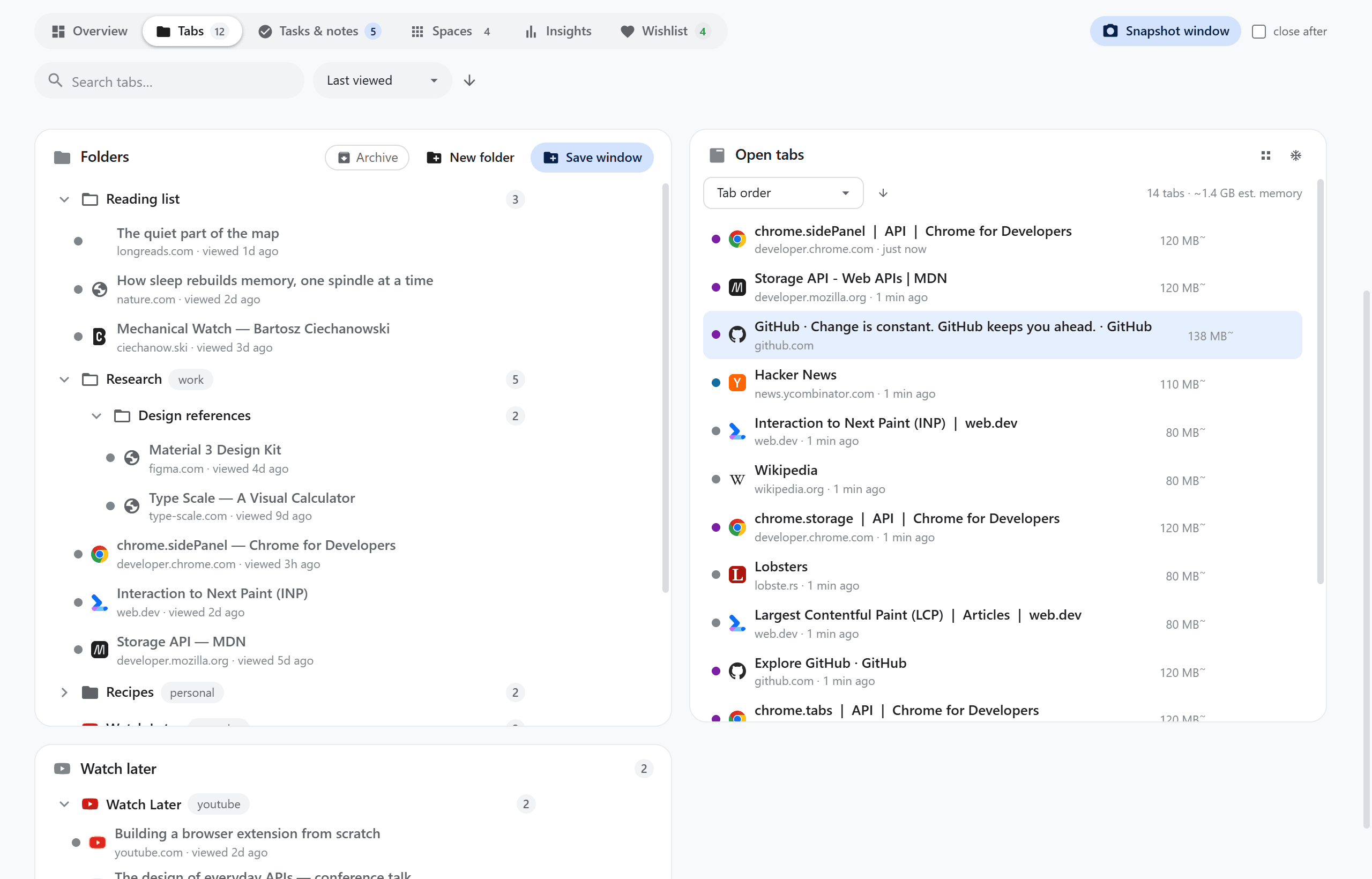
Dashboard Tabs view: the folder tree and Watch Later beside the live open-tab list

Dashboard

Folders beside the live tab list

The new-tab page is not only a clock. Tabs puts the folder tree next to what is open right now. Overview, Tasks, Spaces, Insights and Wishlist each get a view of their own.

Screenshots

The real UI, not mockups

Captured from the extension with staged demo data. Nothing personal appears in any of them.

And also

The rest of the toolkit, without leaving the browser

  • Duplicate finder

    Scan every window for the same URL and close the extras, keeping the one you want.

  • Stale-tab assistant

    Idle YouTube videos move to Watch Later. Other stale tabs get a save, hibernate, or archive nudge.

  • Hibernation

    Discard tabs to free memory, one at a time or for the rest of the window.

  • Notes & highlights

    Autosaving notes, plus right-click to save a highlight or turn a selection into a task.

  • YouTube transcript

    Searchable transcript on watch pages. Click a line to seek, copy it, or save it.

  • Window snapshots

    Save the exact layout of a window — pins, groups, thumbnail — and restore it in one click.

  • Domain grouping

    Colour-code and group tabs by root domain, on demand or automatically.

  • Media controls

    Now-playing cards for YouTube, Spotify, SoundCloud and more, plus mute for any audible tab.

  • Contextual modes

    Work, Entertainment, or Shopping reorders the panel from the site you are on. Pin a mode to freeze it.

  • Teleprompter

    A speed-adjustable auto-scroll overlay for long reads, with a focus line and keyboard control.

  • Snippets

    Named groups of fields you retype often. Copy any field from the dashboard or the side panel.

  • Quick actions

    An optional on-page launcher for save, hibernate, archive, snapshot and wishlist — off by default.

Questions

Frequently asked

What is Browser Assistant?
Browser Assistant is a Chrome extension (Manifest V3) that puts tab folders, workspaces, tasks, notes, a wishlist with price alerts and a new-tab dashboard behind one side panel. It replaces the handful of single-purpose extensions most people stack up, keeps a Chrome-native look, and stores everything in a file on your own computer.
Where does Browser Assistant store my data?
In a JSON file on your computer, by default Documents/BrowserAssistant/data.json. A small Node.js native-messaging host writes it, because Chrome extensions cannot write files themselves. Until that host is installed, changes queue in chrome.storage.local and flush to disk as soon as it answers. There is no account and no cloud sync, and you can export or import the file from Settings.
Does Browser Assistant send my browsing data anywhere?
No. There is no telemetry, no crash reporting, no advertising identifier and no third-party analytics. The only network requests it makes are to the product pages you added to the wishlist, so it can re-read their prices. Sites that block those background checks stay blocked unless you grant them in Settings, in which case the price updates when you visit the page yourself.
Is Browser Assistant free?
Yes. It is free, with no account, no subscription and no paid tier. The source is on GitHub and you install it yourself.
Which browsers and operating systems does it support?
Google Chrome 121 or newer. The host installer can also register it for Edge, Brave and Chromium. The storage host needs Node.js 18 or newer and runs on Windows, macOS and Linux, though the one-click installer script is currently Windows-only — on macOS and Linux you register the host manifest by hand.
How do I install Browser Assistant?
It is not on the Chrome Web Store yet. For now you clone the repository and run npm install, npm run gen-key and npm run build:all. Then open chrome://extensions, turn on Developer mode, choose Load unpacked and pick the dist folder, and finally run the native-host installer so the extension can write your data file.
What does it do with open tabs?
It lists every open tab with its idle age and an estimated memory footprint, closes duplicate URLs across all windows, hibernates tabs to free memory, nudges you about tabs idle for more than 48 hours (moving idle YouTube videos to Watch Later), saves the exact layout of a window as a restorable snapshot, and colour-codes tabs into Chrome tab groups by domain.
Can I use it with several Chrome profiles?
Yes. Each Chrome profile runs its own host process against the one shared data file, and every write re-reads the file, replays that host's pending changes on top and saves under a lock, so two profiles cannot overwrite each other. Records are tagged with the Google account that created them, so you can filter by account anywhere.

Local-first

Your data lives in a file on your computer

Chrome extensions cannot write files themselves, so a small Node native-messaging host does it — Documents/BrowserAssistant/data.json. Nothing leaves the machine except the product pages you asked the wishlist to check. No analytics. No cloud sync. No account.