
01
Local-first
A tiny native host writes JSON on your computer. No cloud account, no sync, no analytics.
Chrome extension · local-first
A Chrome extension for tabs, tasks, notes, workspaces and wishlists — with a Chrome-native look and all data stored on your computer.
01
A tiny native host writes JSON on your computer. No cloud account, no sync, no analytics.
02
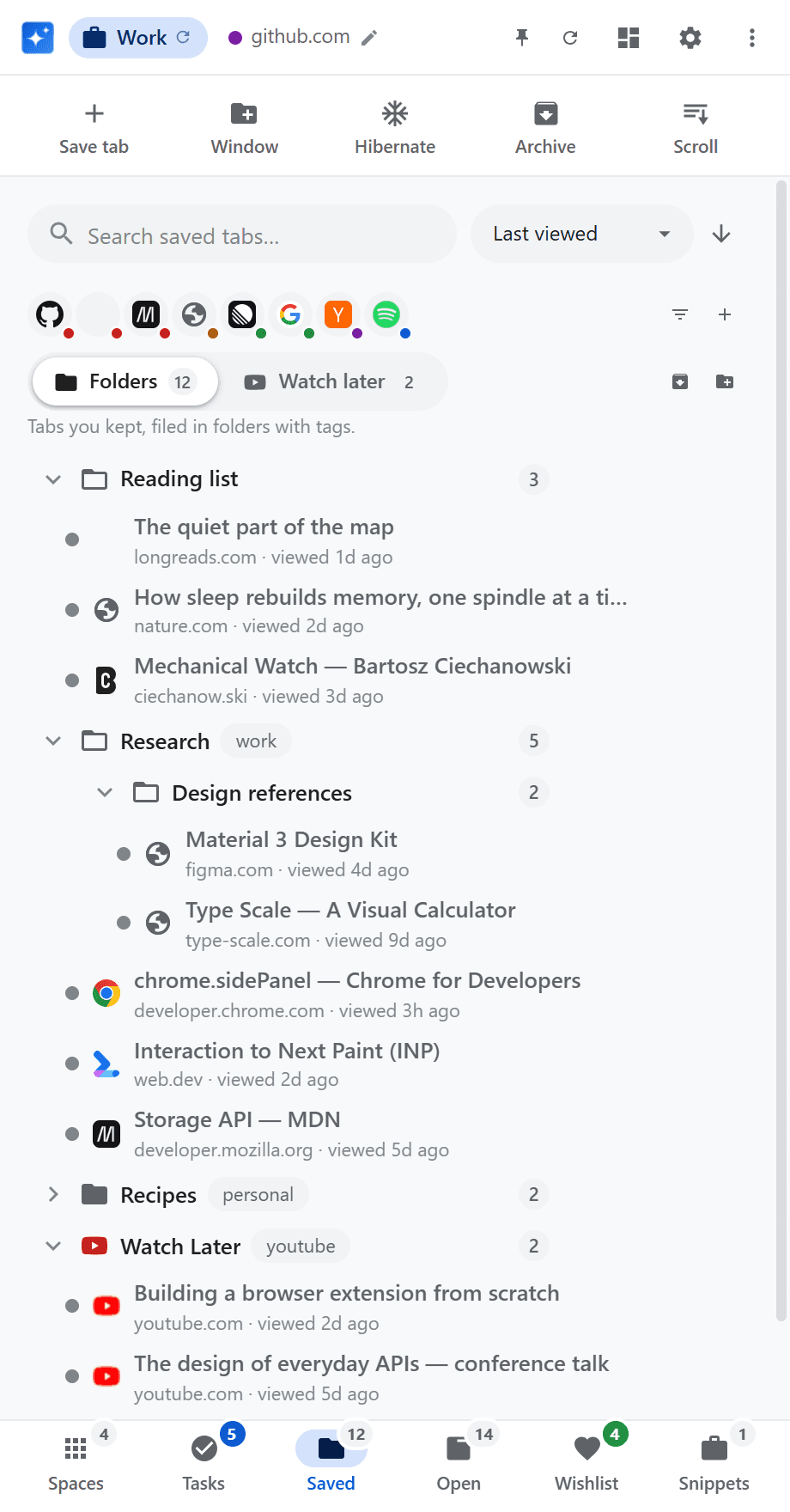
It sits beside the page instead of vanishing when you click away — so you can drag links into folders.
03
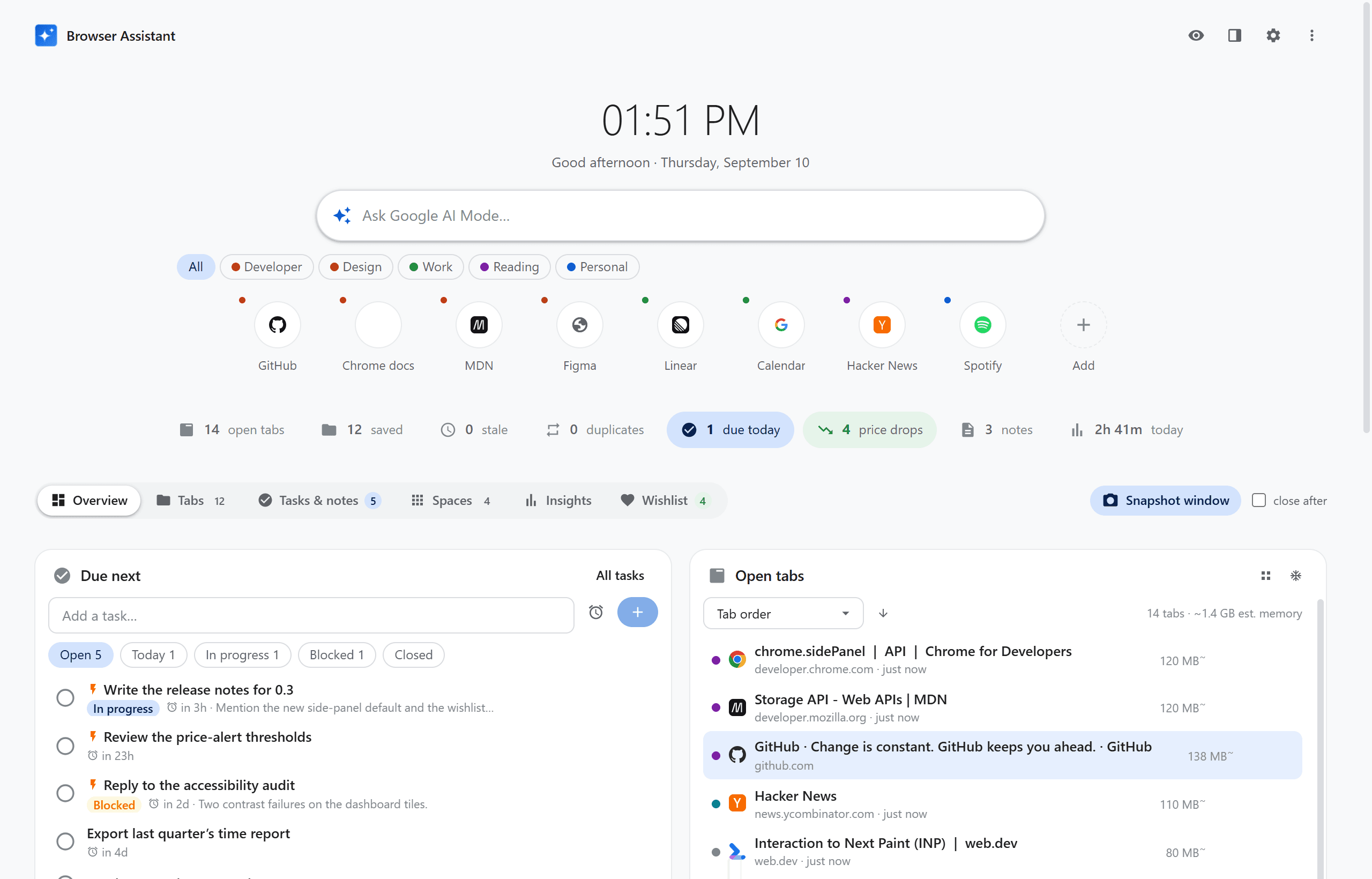
Clock, AI search, quick links, and a status strip that only tints the numbers worth acting on.
Tabs
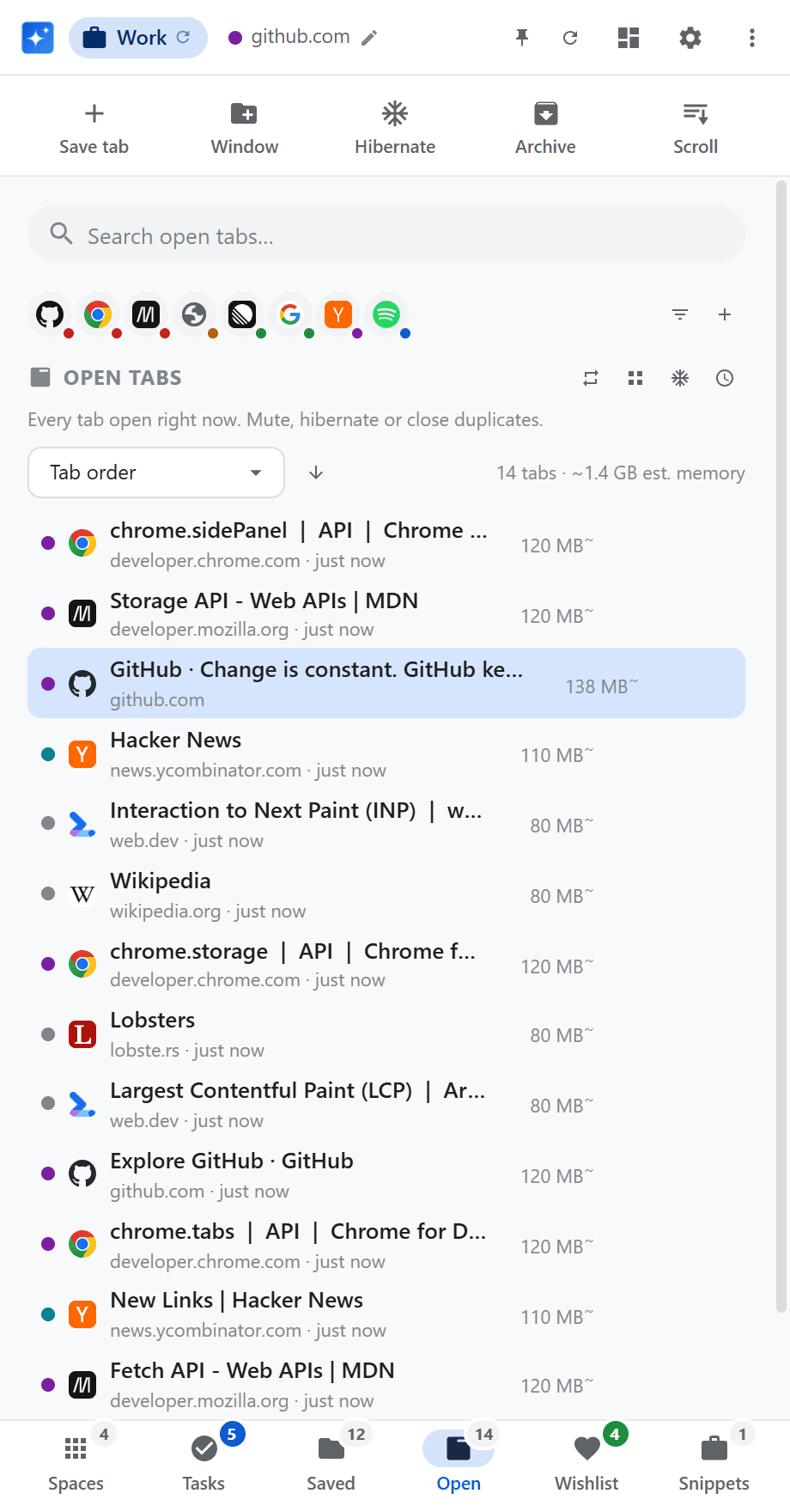
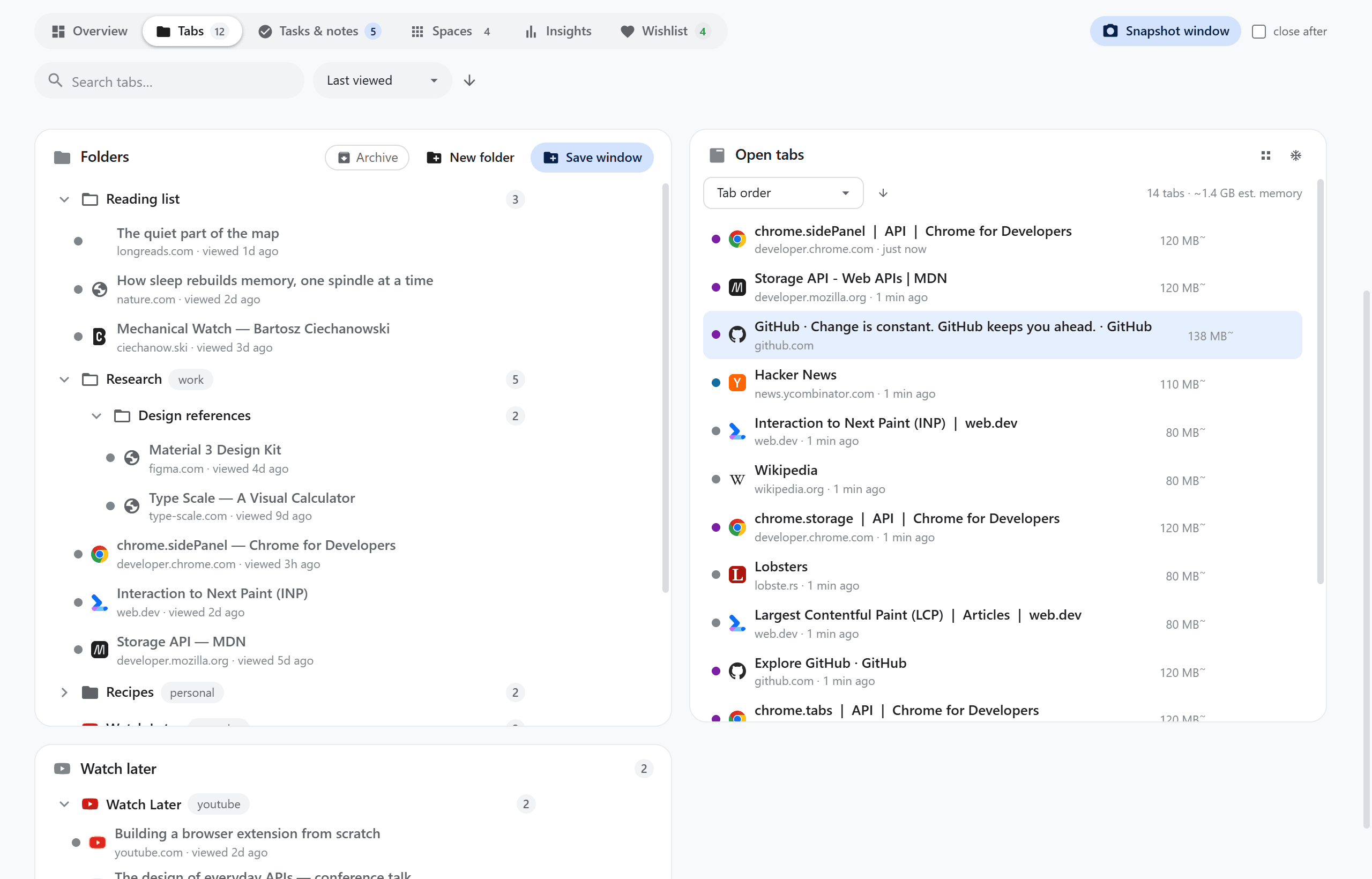
Unlimited nested folders with tags and search. Drop a link from any page onto a folder. The Open list shows idle age and estimated memory — hibernate the rest in one click.
Workspaces
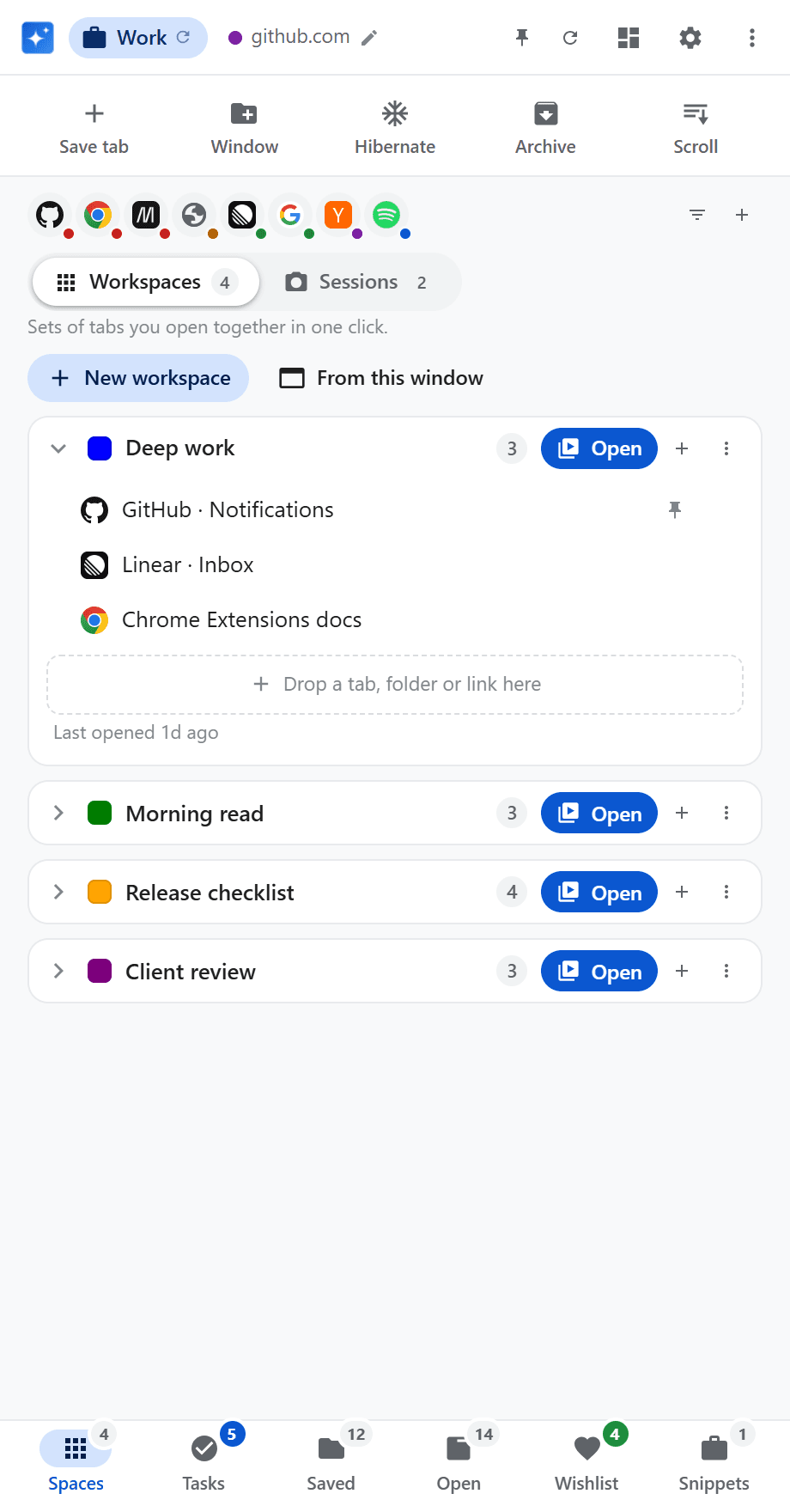
Named sets of tabs for work, a project, a weekend. Build them from saved tabs, the current window, or a dragged link. Mark tabs to open pinned.
Wishlist
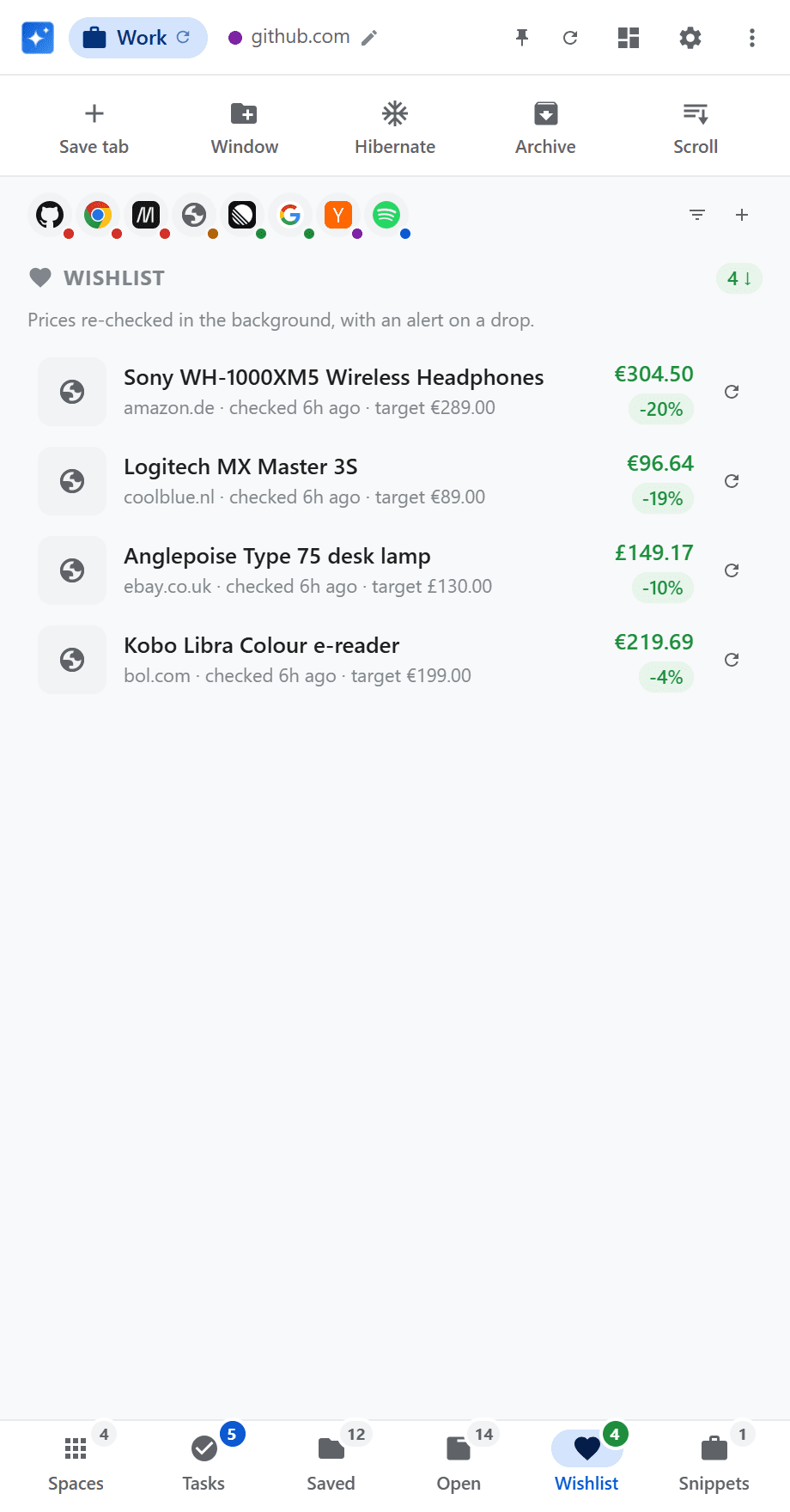
Save from Amazon, eBay, AliExpress, bol.com and Coolblue — or select a price on any page. A background checker re-fetches prices and notifies you on a drop or when you hit your target.
Insights
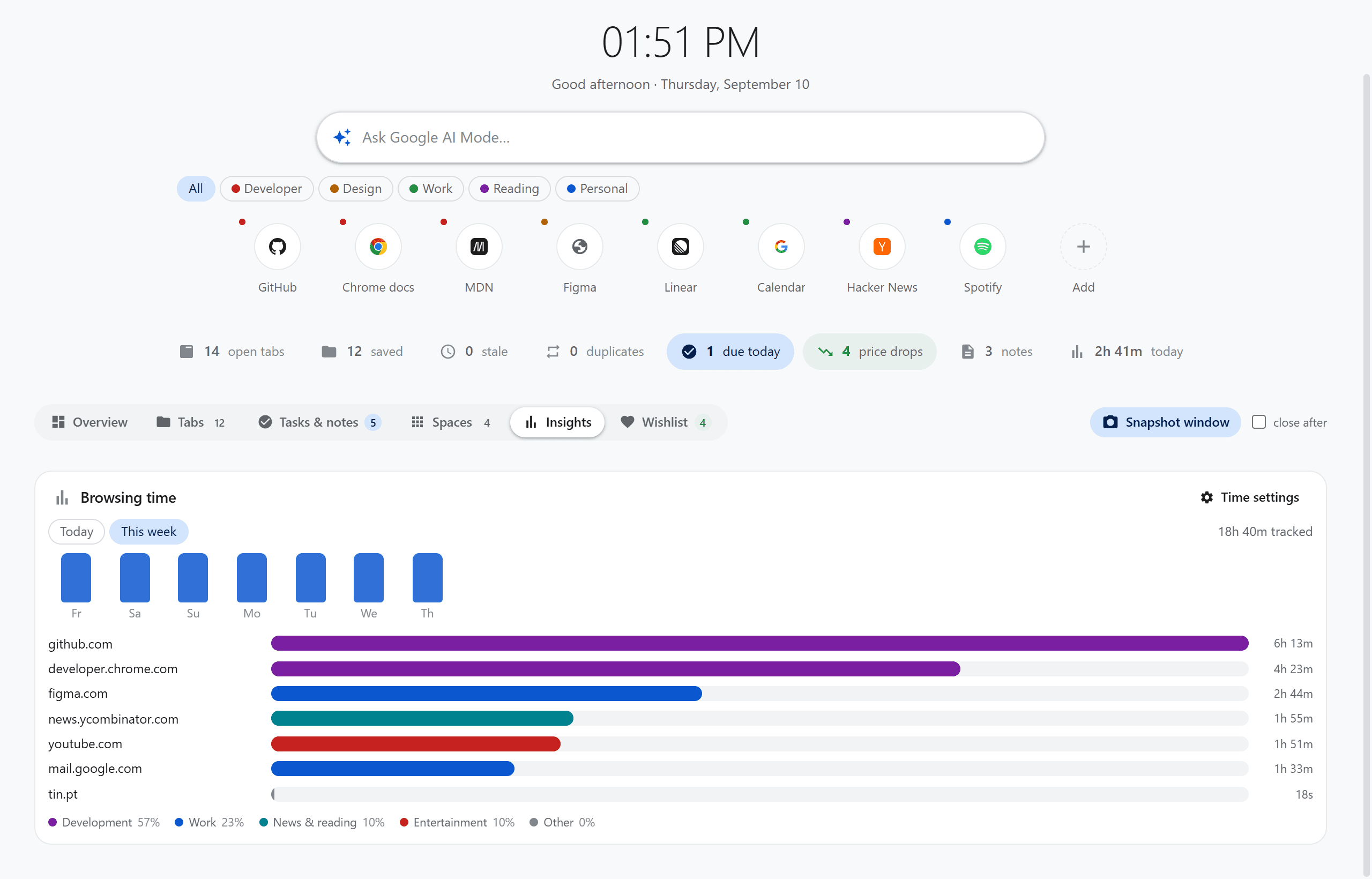
Time per site, paused when you are idle or Chrome loses focus. A weekly chart coloured by category — work, shopping, entertainment, and the rest.
Tasks
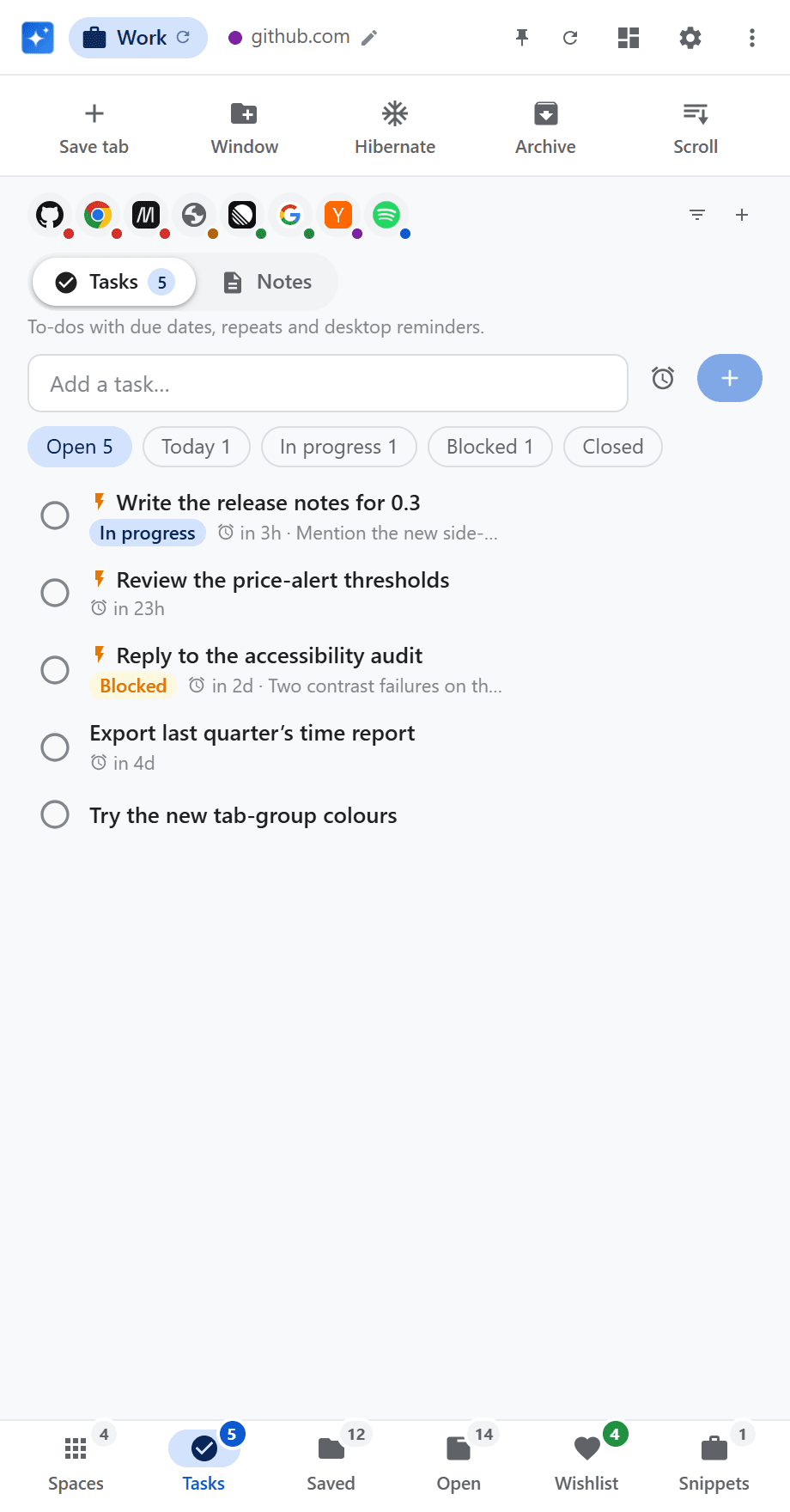
Real due dates, repeats, statuses, and desktop notifications with Done or Snooze. Completing a repeating task keeps that occurrence and creates the next one.
Dashboard
The new-tab page is not only a clock. Tabs puts the folder tree next to what is open right now. Overview, Tasks, Spaces, Insights and Wishlist each get a view of their own.
Screenshots
Captured from the extension with staged demo data. Nothing personal appears in any of them.
And also
Scan every window for the same URL and close the extras, keeping the one you want.
Idle YouTube videos move to Watch Later. Other stale tabs get a save, hibernate, or archive nudge.
Discard tabs to free memory, one at a time or for the rest of the window.
Autosaving notes, plus right-click to save a highlight or turn a selection into a task.
Searchable transcript on watch pages. Click a line to seek, copy it, or save it.
Save the exact layout of a window — pins, groups, thumbnail — and restore it in one click.
Colour-code and group tabs by root domain, on demand or automatically.
Now-playing cards for YouTube, Spotify, SoundCloud and more, plus mute for any audible tab.
Work, Entertainment, or Shopping reorders the panel from the site you are on. Pin a mode to freeze it.
A speed-adjustable auto-scroll overlay for long reads, with a focus line and keyboard control.
Named groups of fields you retype often. Copy any field from the dashboard or the side panel.
An optional on-page launcher for save, hibernate, archive, snapshot and wishlist — off by default.
Questions
Local-first
Chrome extensions cannot write files themselves, so a small Node native-messaging host does it — Documents/BrowserAssistant/data.json. Nothing leaves the machine except the product pages you asked the wishlist to check. No analytics. No cloud sync. No account.